One home for prototypes.One place for feedback.
Deploy. Organize. Share. Iterate.
Push prototypes live instantly from Cursor, Claude Code, v0. Stakeholders leave pinned feedback. Send clients structured surveys to A/B test ideas. Every iteration lives in one organized, searchable place—no more digging through Slack threads wondering which version is which.
Live counts from real workspaces on VibeSharing—not a demo.
Works with the AI tools your team already uses
Not a builder. Not a Figma replacement. Not a hosting company. VibeSharing is the missing layer between “the prototype is built” and “the team responded.”
What you get
Share it, test it with customers, and check it's on-brand.
Share & gather feedback
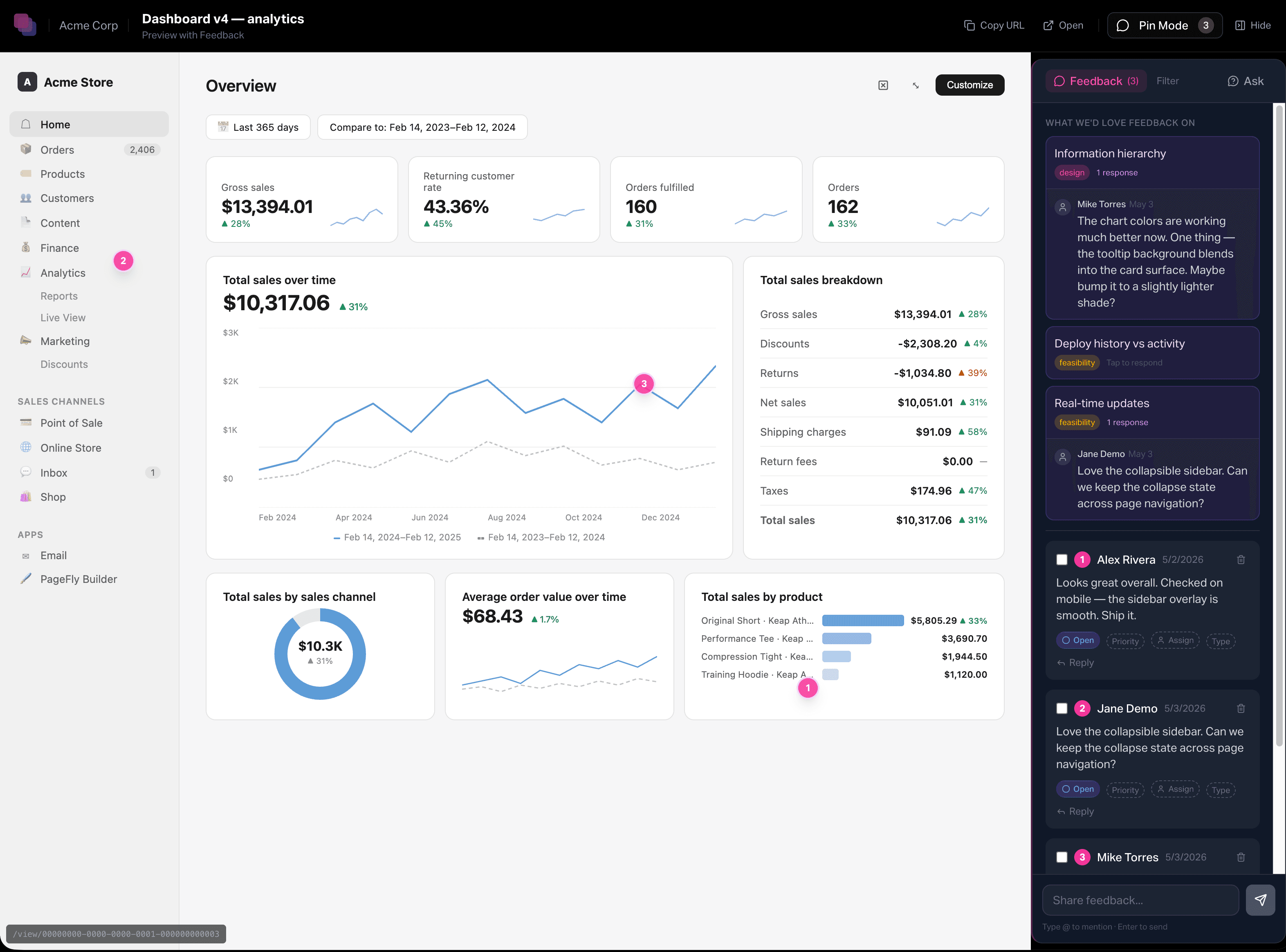
A stable link, password- or magic-link-gated. Stakeholders pin comments right on the prototype — threaded, resolvable, attributable, no account required.
Test with customers
Turn a prototype into structured research: write the questions, send it to a cohort, run a blind A/B, and watch ratings, choices, and comments roll up per question.
Check it's on-brand
Inspect reads the exact design tokens behind any element; Suspect scans the whole screen for the pieces that drifted off your system — read from the running code, not a picture of it.
Finally, a place to find, use, and shape AI prototypes.
- 01
In your editor
Build with whatever AI tool your team already uses. Cursor, Claude Code, Lovable, v0, Replit, Bolt, Windsurf. VibeSharing doesn't replace any of them.
- 02
One command, live URL
vibesharing deploy from your terminal, or call the MCP from inside your AI tool. The CLI saves a new version and pings your watchers.
- 03
Stakeholders pin feedback
Send a link. Reviewers pin comments directly on the prototype. Threaded, resolvable, attributable. No screenshot, no Slack thread, no account required.
- 04
Anyone picks it up
Fork to explore, roll back when needed, or build the next iteration. Every previous version stays put.
- VibeSharing
Where prototypes get organized, gather feedback, and iterate — the layer the rest of the stack has been missing.
- Prototype hosting
Vercel, Netlify, your own stack.
- AI editor
Claude Code, Cursor, Replit, …
Included in every workspace:
Hosting your way
Deploy to Vercel, Netlify, or your own infrastructure. VibeSharing meets your stack where it lives.
Project & team organization
Group prototypes by project, team, or initiative. Each watcher sees updates on what they're following.
Pinned feedback, no signup
Stakeholders pin comments directly on the prototype. Threaded, attributable, resolvable. No account required.
Versions, forks, rollback
Every deploy is a new version. Fork to explore, roll back when needed, never overwrite the previous one.
Native MCP integration
Cursor, Claude Code, and any MCP-compatible tool can deploy directly from inside the conversation.
Watching and notifications
Watch a project, prototype, or person. See new versions land and fresh feedback as it arrives.
Built deeper for Claude Code and Cursor
Claude Code MCP
The MCP server connects Claude Code directly. Deploy with one prompt, read pinned feedback, and keep CLAUDE.md context in sync — all from inside the conversation.
See the integration →Cursor rules
A few .cursor/rules/*.mdc files teach Cursor how to deploy and register prototypes on VibeSharing. Push from your editor with one prompt; no MCP server required.
For larger teams:
Audit log
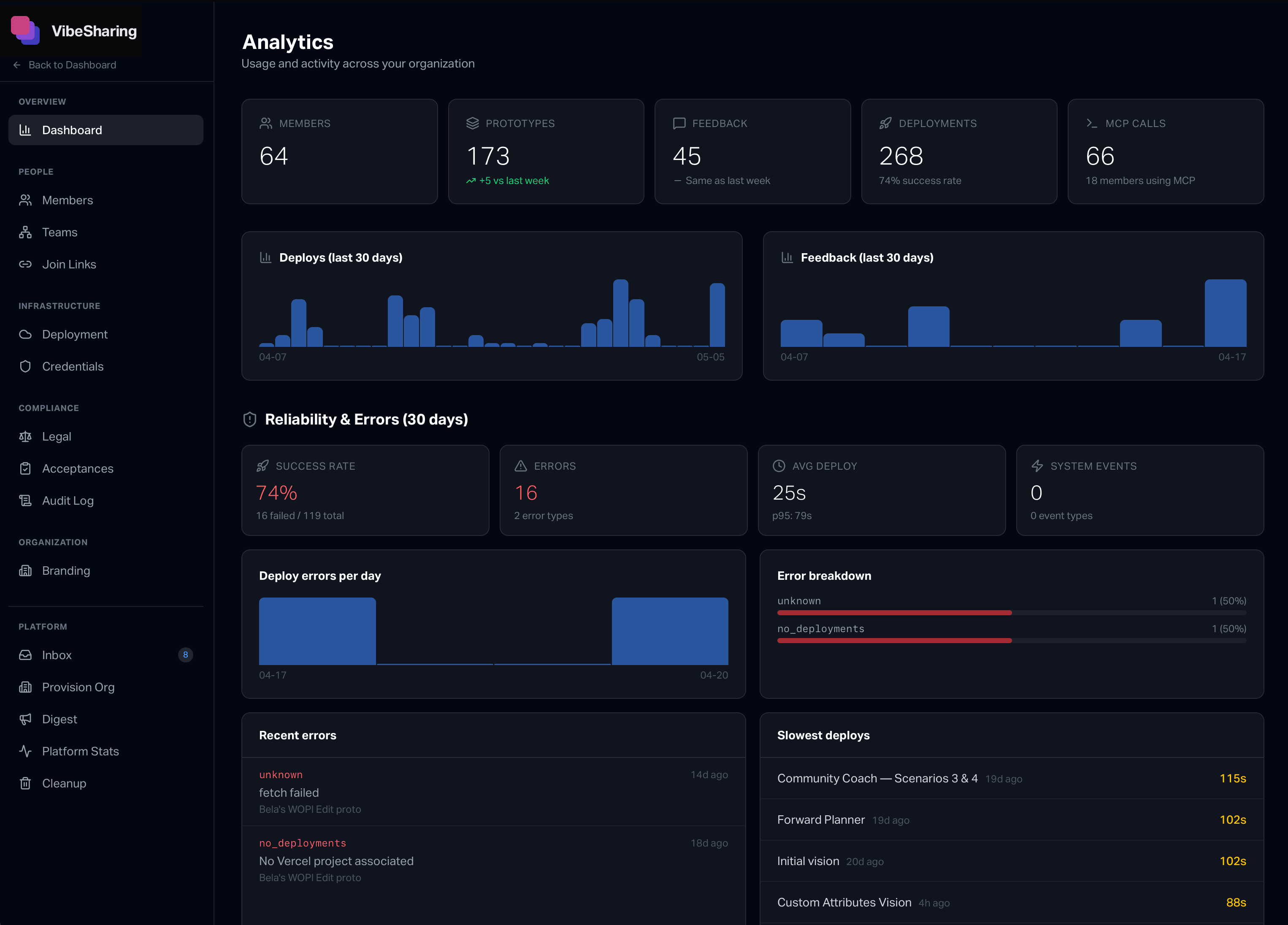
Every deploy, comment, role change, and access event lands in the log. Filterable, exportable. Compliance teams stop asking for spreadsheets.
Admin console
Centralized control over members, teams, deploy providers, branding, and legal acceptances. Org-wide settings in one place.
Design system templates
Lock prototypes to your brand. Templates ship with theme variables, design instructions, and feedback topics — every new prototype starts on-brand without thinking.
Bulk member onboarding
Invite a CSV of teammates. Auto-join via verified email domain. Match-and-import existing org charts.
Roles for the work
Roles that match what each person needs to do — creative contributors, admins, infrastructure owners, account holders. The access matrix your security team can actually approve.
Your data, your IP
We don't train models on your prototypes. We don't share your data with anyone who does. Your team's IP stays your team's. Full stop.
Close the loop on every prototype.
Five minutes from sign-up to your first deployed prototype.
Start sharing